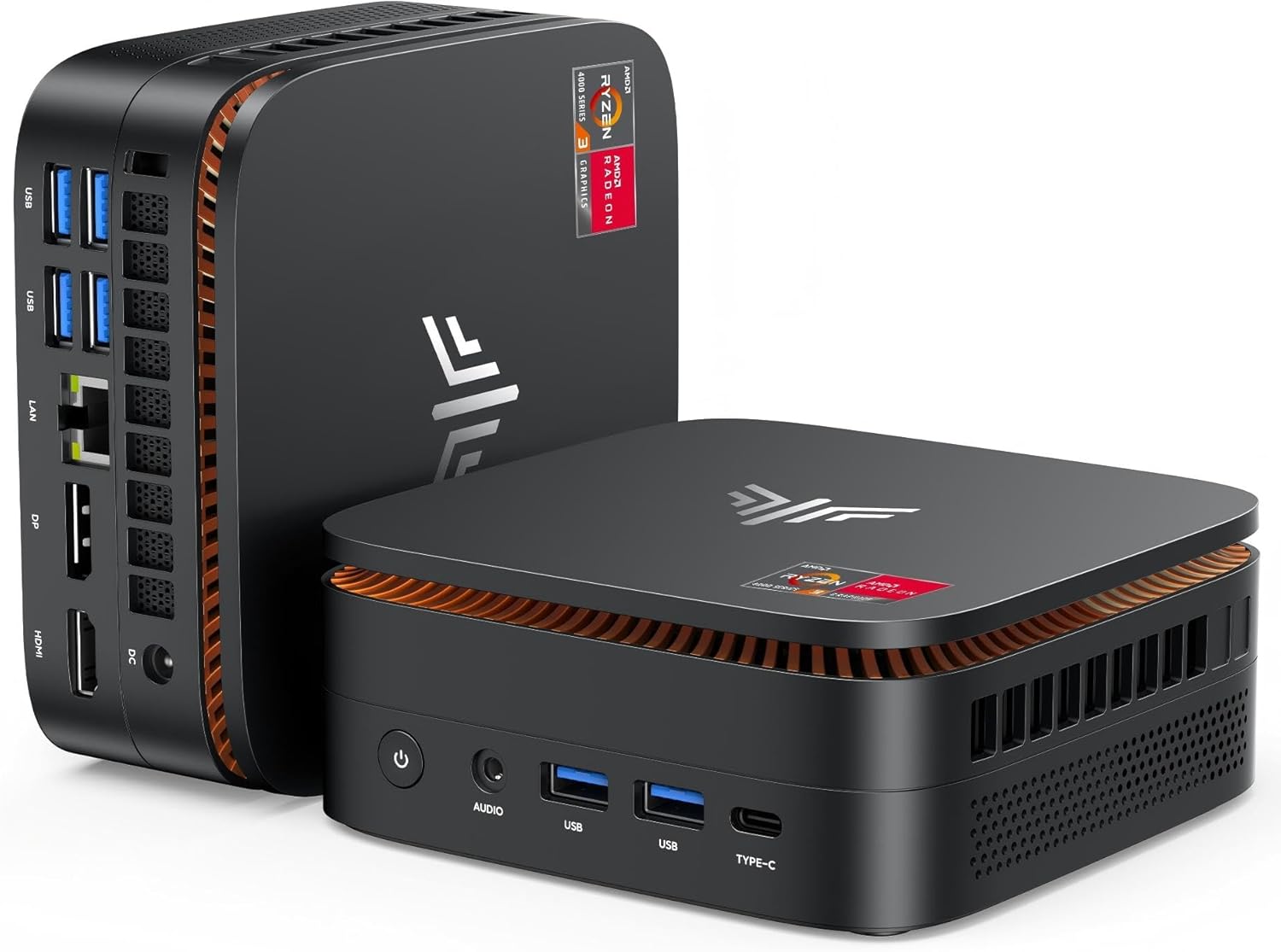
KAMRUI Pinova P1 Mini PC (AMD Ryzen 4300U)
The KAMRUI Pinova P1 is an affordable AMD mini PC for entry-level local AI inference. Powered by the Ryzen 4300U with 16GB DDR4 and 512GB SSD, it runs 7B LLMs via Ollama on Windows 11 Pro and supports triple 4K display output — in a compact black chassis with orange accents.
MEMORY
16 GB
BANDWIDTH
34 GB/s
TDP
28W
MAX MODEL
13B (Q4 quantized)
Running TinyLlama on the KAMRUI Pinova P1: Local AI Under $230
What Can You Run on This?
- Budget local LLM inference (7B models via Ollama)
- Private offline AI assistant for home or small office
- Triple 4K display desktop replacement
- Windows 11 Pro lightweight productivity workstation
- Entry-level AI experimentation
Full Specifications
| Chip / Processor | AMD Ryzen 3 4300U (Zen 2, 4C/4T) |
|---|---|
| CPU Cores | 4 |
| GPU Cores | 6 |
| Unified Memory?Unified MemoryApple Silicon uses a single pool of fast RAM shared between CPU and GPU. Larger unified memory = larger models run entirely at full bandwidth — no PCIe bottleneck. | 16 GB |
| Memory Bandwidth?Memory BandwidthHow fast data moves between memory and the processor, measured in GB/s. Tokens per second scales nearly linearly with bandwidth — this is the single most important GPU spec for LLM speed. | 34 GB/s |
| Storage | 512 GB |
| TDP (Power Draw)?TDP (Power Draw)Thermal Design Power in watts — the maximum sustained power draw. Higher TDP generally means more performance but more heat and electricity cost. Important for 24/7 always-on setups. | 28W |
| Max LLM Size?Max LLM SizeThe largest language model this hardware can run with full GPU/unified-memory acceleration, at the specified quantization. Larger models require more memory. | 13B (Q4 quantized) |
| Form Factor | Mini PC |
| AI Performance Benchmarks | |
| Tokens Per Second (7B) | 8 t/s |
Pros & Cons
Pros
- Competitive pricing — one of the most affordable AMD mini PCs
- 16GB DDR4 runs 7B models comfortably, 13B Q4 with tight margins
- Triple 4K display support — HDMI + DP + USB-C
- 28W TDP — energy-efficient for 24/7 always-on operation
- Windows 11 Pro included — full compatibility with Ollama and LM Studio
Cons
- Ryzen 4300U is a 2020 Zen 2 chip — older than current-gen alternatives
- Vega 5 iGPU provides no meaningful AI GPU acceleration
- 5–8 tokens/second on 7B models — slow for interactive use
- Limited upgrade path compared to SO-DIMM desktop-class designs
Who Should NOT Buy This
Honest assessment
- Interactive chat — 8 t/s is too slow for real-time back-and-forth
- Any model larger than 7B — only 16 GB RAM limits your options
- Stable Diffusion — no GPU acceleration
- Anyone who can spend $100 more — the Hyper H2 offers significantly better specs
Our Verdict
KAMRUI Pinova P1 Mini PC (AMD Ryzen 4300U)
The KAMRUI Pinova P1 is a no-frills budget entry point to local AI. It does what it promises: runs 7B models offline and privately at a low price. The Ryzen 4300U is dated by 2026 standards, so if you plan to use it heavily for AI, consider saving for the KAMRUI Hyper H2 which delivers significantly better performance. The P1 makes sense for an always-on lightweight assistant that does not need to be fast.
Frequently Asked Questions
Q1Can the KAMRUI Pinova P1 run local LLMs?
Yes. Using Ollama on Windows 11 Pro, the Pinova P1 runs Llama 3.1 8B at approximately 5–8 tokens/second using the Ryzen 4300U CPU. 13B Q4 models run at 3–5 tokens/second. It works for a private offline chatbot but is not suitable for fast, interactive sessions.
Q2How does the KAMRUI Pinova P1 compare to the KAMRUI Hyper H2?
The Hyper H2 has a 10-core Intel Core 14450HX that is 40–60% faster for LLM inference than the P1's 4-core Ryzen 4300U. If you want the fastest CPU-only mini PC for local AI, the Hyper H2 is the clear choice. The P1 costs less and uses less power, making it better for lightweight always-on use cases.
Don't Bottleneck Your Rig
Accessories that unlock this hardware's full potential
Also Featured In
Compare With
As an Amazon Associate I earn from qualifying purchases.
KAMRUI Pinova P1 Mini PC (AMD Ryzen 4300U)
Check Price on Amazon